Find your footing.
Discover devices, identify boards, and inspect project readiness before the first build.
DISCOVERY + SETUP PIO AGENTHARDWARE INTELLIGENCE
Get started
From a conversation to firmware running on your board. PIO Agent gives your AI the tools to discover, build, flash, and verify real hardware.
Preparing the concept…
Explore the board and library notes below.
A copper contact. A ring of light. Turn a simple gesture into an interface.
WORKS WITH
The Codex plugin brings firmware workflows, a local dashboard, and hardware verification into your development session.
Set up Codex01 / FROM PROMPT TO PROTOTYPE
A board on your desk. An idea in your head.
Give your agent a
way to connect the two.
YOU
“Find my ESP32, create a blink project, and check that it boots.”
01 Discover connected boards
02 Initialize project & build firmware
03 Request approval to flash
04 Monitor serial output for BOOT_OK
A first boot you can verify.
02 / A BRIDGE TO THE BENCH
Discover devices, identify boards, and inspect project readiness before the first build.
DISCOVERY + SETUPBuild, diagnose, flash, and read serial output through a connected workflow your agent can follow.
BUILD + DIAGNOSEPolicy checks, approval gates, port locks, and audit logs keep hardware actions visible and controlled.
POLICY + VISIBILITY03 / YOUR BENCH. MISSION CONTROL.
Follow tasks, inspect logs, and see what’s connected. The local dashboard gives you a front-row seat to your hardware workflow.
Explore the documentation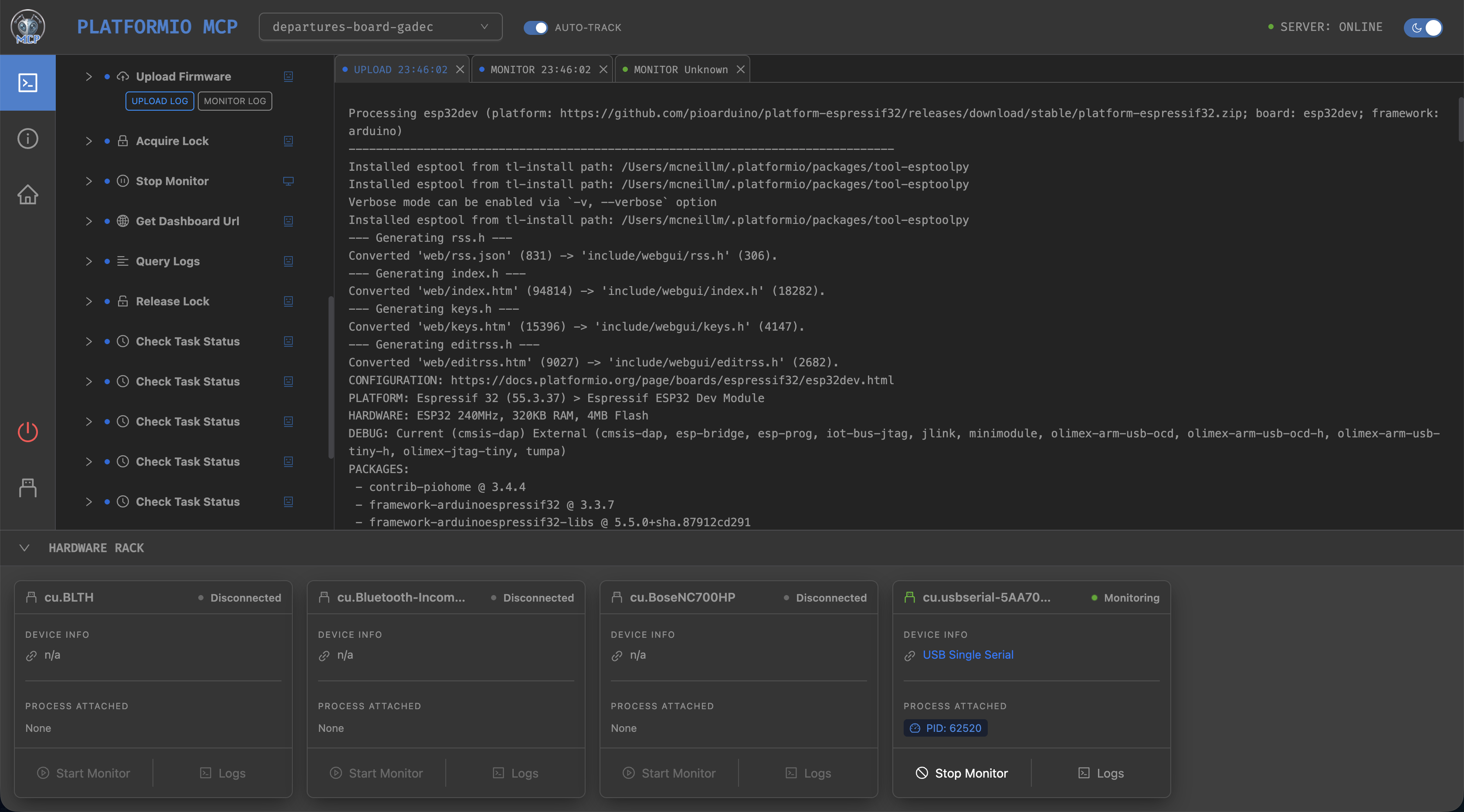
04 / YOUR NEXT BUILD STARTS HERE
Install PIO Agent for your preferred AI host.
Explore the source on GitHub01 / Run this in your terminal
codex plugin marketplace add jl-codes/platformio-mcp --ref main
codex plugin add platformio-mcp@platformio-mcp
02 / Restart your host or start a new Codex task
“What boards are connected, and is this project ready to build?”
Requires Node.js 20+ and PlatformIO Core for hardware workflows. A compatible connected board is needed to flash and verify.
Full setup guideCapabilities, requirements, install commands, and MCP configuration. Available as a guide, plain text, and structured metadata.